
Category: Guides

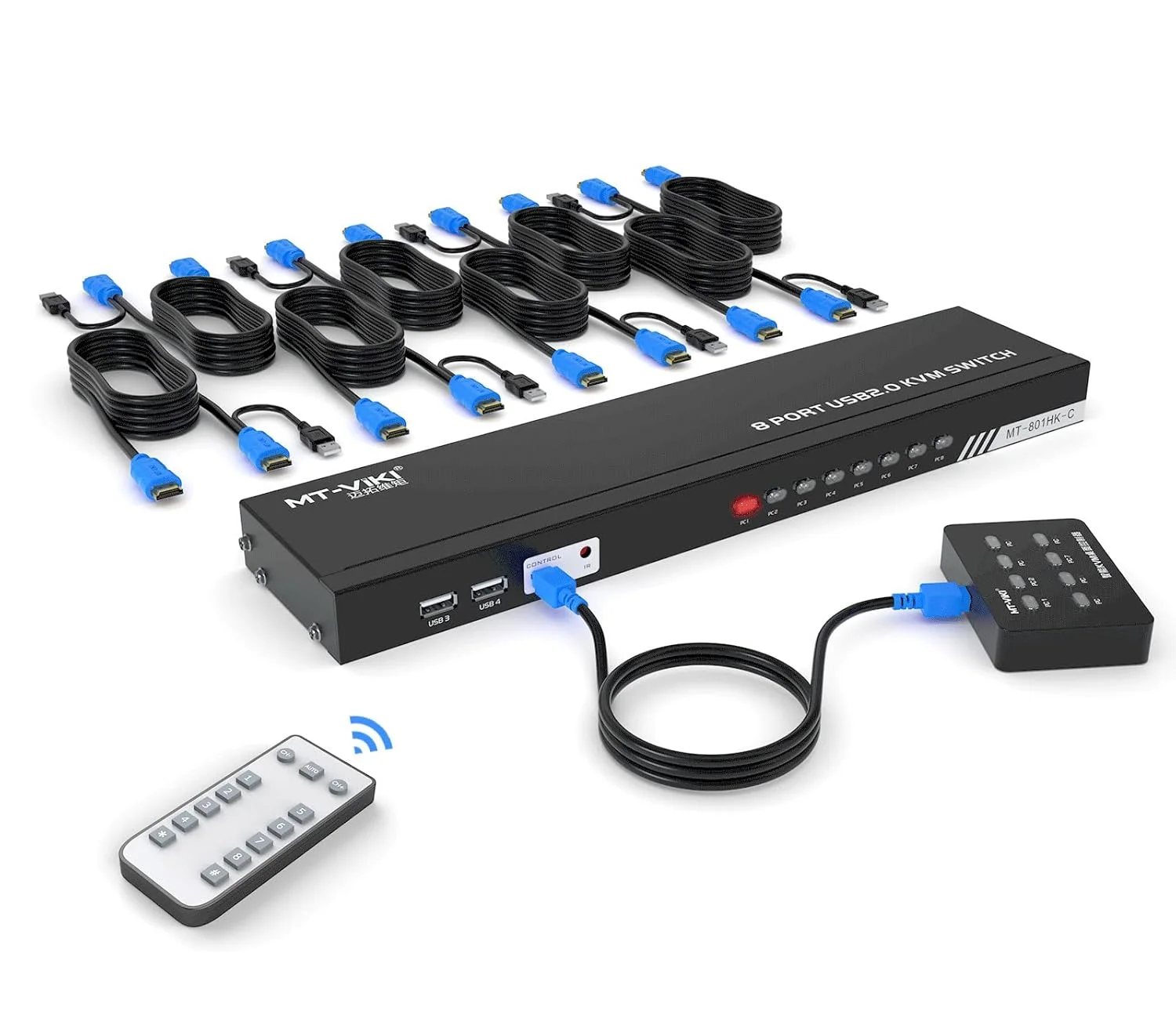
Cheap DIY 8 Port IP KVM on a budget
A practical guide to building a cheap IP KVM with a Raspberry Pi, PiKVM software, and an 8-port HDMI KVM switch. The article walks through the hardware setup, reverse-engineering the switch’s control box, and adding custom PiKVM buttons for remote port switching, giving web-based access to servers and even remote reimaging support.

DIY Whole Home Energy Monitoring with Home Assistant
Why energy monitoring? I recently decided I wanted more data on our home energy usage. Unfortunately our meter box is over 20 years old and our energy supplier wont replace it until it is 30 years old. It is an old spinning disk style meter with analog display. I had considered using a camera and…
Brain dump fast with this free iOS Shortcut
Introduction Get things out of your head and into your task manager FAST with this free iOS shortcut! I use my devices for everything. My iPhone is always at hand and I am never far from my iPad or Mac. Having my to-do list all in one place that I can access at any time…
Make the ultimate bootable USB drive
Creating a USB Swiss army knife full of tech tools for all your geeky needs Today we are going to make the ultimate bootable USB drive to have with you at all times. This is an invaluable tool and it is all made possible by the Open Source tool Ventoy. This post is available in…
Turn your iPad into a portable HDMI screen for free
Using the free app Orion you can connect any video source to your iPad and use it as a portable HDMI monitor and screen recorder! I discovered this app this week from John Gruber on Daring Fireball. Having played around with it I think it will be a really handy part of my geek toolkit.…

Free Digital Signage with Raspberry Pi and Google Slides
Using a Raspberry Pi with Google Slides is an excellent way to make very cheap and effective digital signage. In this guide I will show you how to build this. This is an updated method as the Screenly / Anthias software doesn’t seem to like 4K screens for Google Slides! And the beauty of it:…
New iOS 17 update: Features I will be using immediately
The iOS 17 update has just released for iPhone and iPad and it has some fantastic new features. Many are small but they have a big impact. Here are a few of my favourites. Live Voicemail This is great. If someone is leaving you a voicemail message you can see it as live text coming…
Goodnotes for iOS v6: How to get it free for Education!
Goodnotes for iOS is an amazing app for note taking on iPad and has recently had a major update with impressive new features. And if you are a school or other educational establishment you can apply to get it for free for all of your staff and students! This help article on the publishers site…
£8 HDMI capture stick – must have kit
Been toying with the idea of making a few YouTube videos on setting up various Raspberry Pi things and thought that just pointing a camera at the monitor would look a bit rubbish. I had always thought that HDMI capture devices would be crazy expensive but it turns out they are very cheap now, around…
Geeky stuff to do during lockdown
You can and should do these things all year round really, but perhaps especially so now. Some of these may be UK specific. Just a few things that can help with staying at home for a few weeks. Reading Libby App to access your local public library to borrow Audiobooks, eBooks and Digital Magazines, for…

Categories
Recent Posts
- Dual Screen DIY CyberDeck

- Cheap DIY 8 Port IP KVM on a budget
- Dithering Digest 25 – Weekly Tech News Roundup
- Dithering Digest 24 – Weekly Tech News Roundup

Tags
apple apps digital signage dithering digest dyslexia education energy monitoring fitness goodnotes guides health home assistant home automation ios mac macos maker mental health moodle news open source personal raspberry pi recommended setapp shortcuts sysadmin task management tools